

When managing a Magento 2 store, one limitation merchants often face is that default Magento 2 does not provide any built-in feature to add product-specific questions and answers. There is no native option to create FAQs for individual products, nor does Magento display such information on the product page by default.
Why Product FAQs Matter for Magento 2 SEO and User Experience
From an SEO perspective, well-structured FAQs improve topical relevance, support long-tail keyword targeting, and can be enhanced with FAQ schema markup, allowing your product pages to appear with rich snippets in Google Search. This increases click-through rates (CTR) and reduces bounce rates.
From a user experience standpoint, FAQs help address customer concerns instantly, without requiring them to contact support. When shoppers get answers at the right moment, they feel more confident and informed, which leads to higher conversion rates, fewer returns, and stronger trust.
Two Ways to Add Product Questions and Answers in Magento 2
There are two main methods to add FAQs to Magento 2 product pages:
- Create custom product attributes and display their content manually via a PHTML file
- Use the MageArmy Product FAQ Pro extension (recommended)
Below, we’ll explore each method in detail so you can choose the best one for your business.
Method 1: Create Custom Product Attributes and Display Them Using PHTML (Manual Method)
This method is suitable for developers or store owners with basic technical knowledge. It allows you to create your own FAQ fields using Magento’s product attribute system.
Step 1: Create a Custom Product Attribute
You start by creating a text-area attribute like “Product FAQ” or separate attributes for “Question” and “Answer.” Go to Stores → Attributes → Product → Add New Attribute. Configure the attribute settings and assign it to the attribute set used by your products.
Step 2: Add FAQ Content in Each Product
Open the product in the admin panel and enter the FAQ text inside your custom attribute. This method quickly becomes time-consuming if you have many products.
Step 3: Display the Attribute on the Product Page
Next, you need to customize your theme. You must update the PHTML file (usually catalog/product/view.phtml or a custom block file) and echo the attribute value using:
<?= echo $_product->getData('your_attribute_code'); ?>Finally, wrap the output in HTML to make it visually appealing (accordion, list, etc.).
Limitations of Method 1
- Requires coding knowledge (PHTML, layout XML)
- No rich formatting or structured layout
- No FAQ schema support
- No bulk management options
- Not scalable for stores with many products
Method 2: Add FAQs Using Product FAQ Pro Extension (Recommended)
For merchants looking for a professional, scalable, and user-friendly solution, the MageArmy Product FAQ Pro extension is the ideal choice.
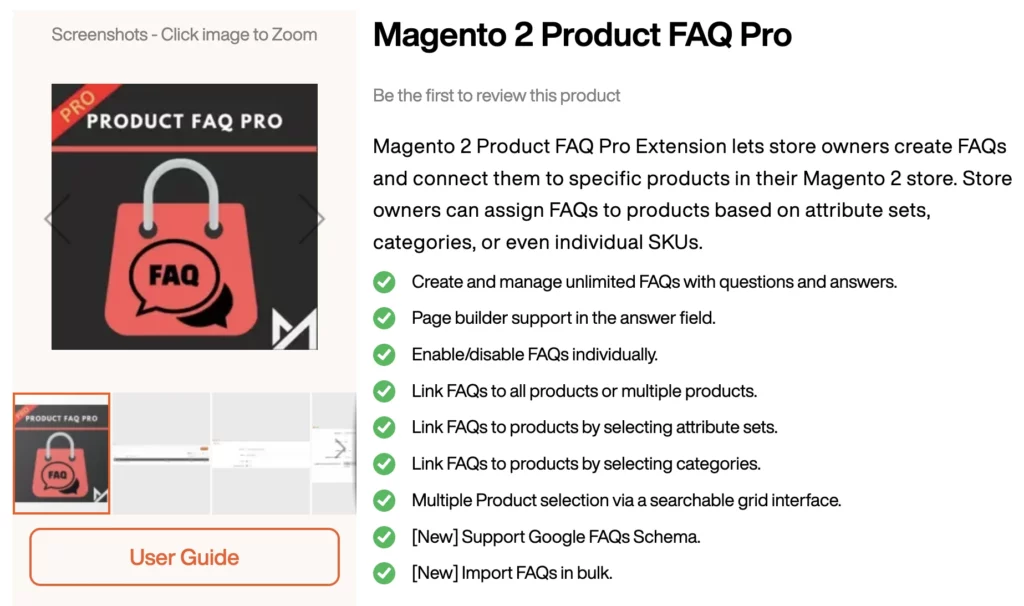
Key Benefits of Using Product FAQ Pro
- Add unlimited FAQs for each product
- Display FAQs beautifully using accordion layouts
- Automatic FAQ Schema (Rich Snippets) support for better SEO
- Bulk import FAQs
- Mobile-friendly and theme-compatible design
How It Works
- Download the extension from Product FAQ Pro page
- Install the extension into your Magento 2 store by following the extension installation guide.
- Go to Magento 2 Admin > Stores > Configuration > MAGEARMY > Product FAQs > General and enable the extension.
- Navigate to Magento 2 Admin > MageArmy > Product FAQs section.
- Add FAQ and assign theme to:
- Specific products
- All Products
- Products belonging to certain attribute sets
- Products belonging to specific categories
- To add FAQs in bulk, go to Magento 2 Admin > MageArmy > Product FAQs > Import FAQ section.
- Use the sample CSV file included with the extension, fill in your FAQ data, and import everything in a single click.
Adding product-specific FAQs in Magento 2 is essential for building trust, improving SEO, and helping customers make informed decisions. While Magento’s default system does not support product FAQs, you can choose between a basic manual method using custom attributes or a powerful automated method using the MageArmy Product FAQ Pro extension.