

Whenever a customer purchases on an eCommerce website, it is important for them to know what they ordered after the order is placed. Magento 2 sends an order confirmation email, but out of the box, it does not display order details on the checkout success page. By default, Magento 2 only shows the order number along with a thank-you message on the success page.
The checkout success page, also known as the thank-you page, is a great opportunity for merchants to encourage customers to place another order by showing special offers or trending products that other customers are purchasing. It is also an effective way to build a long-term connection with customers by promoting social media channels or inviting them to subscribe to a newsletter. Since the customer has already completed a purchase, they are more likely to trust your store and engage with additional content shown on this page.
Let’s discuss how to display order details and other useful information on the Magento 2 checkout success page. There are mainly two ways to achieve this:
- Create a custom page (PHTML template), fetch and display order details, and override the default Magento 2 success page template.
- Use an Order Success Page extension (recommended).
Create a Custom PHTML Template and Override the Default Magento 2 Template
This method is suitable for experienced Magento 2 developers who are comfortable customizing store themes.
Step 1: Override the Default Magento 2 Template
In your Magento 2 theme, override the default success page template by adding the following layout file: checkout_onepage_success.xml
<?xml version="1.0"?>
<page xmlns:xsi="http://www.w3.org/2001/XMLSchema-instance" layout="1column" xsi:noNamespaceSchemaLocation="urn:magento:framework:View/Layout/etc/page_configuration.xsd">
<body>
        <referenceBlock name="checkout.success">
            <action method="setTemplate">
                <argument name="setTemplate" xsi:type="string">Magento_Checkout::success.phtml</argument>
            </action>
        </referenceBlock>
    </body>
</page>
Step 2: Create a Custom success.phtml Template
Create your custom success.phtml file inside your theme directory.
Step 3: Fetch and Display Order Details
In the template, you can get the order object and retrieve order details as shown below:
<?php
use Magento\Checkout\Block\Onepage\Success;
?>
<?php /** @var $block Success */ ?>
<?php
$order = $block->getOrder();
$items = $order->getAllVisibleItems();
?>
<div class="checkout-success">
    <!-- Your HTML goes here -->
</div>
Use an Order Success Page Extension (Recommended)
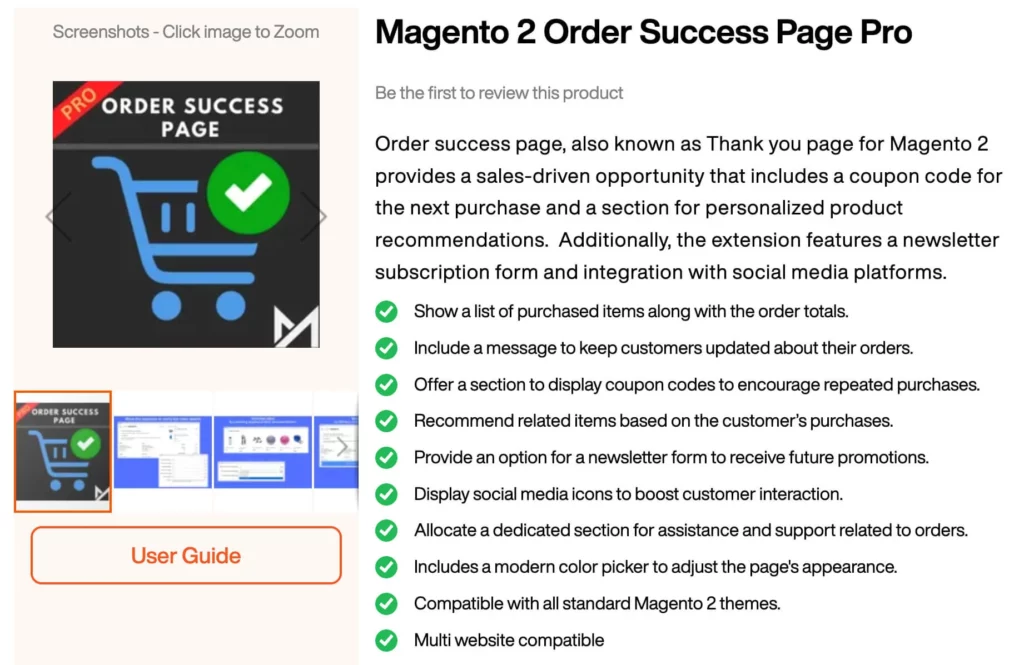
For store owners looking for a quick solution with professional design, MageArmy’s Order Success Page extension is an ideal choice.
Benefits of Using the Order Success Page Extension
- Display purchased items on the success page
- Offer discount coupon codes for the next purchase
- Show recommended products from cross-sell, upsell, and related items
- Display social media icons
- Show a newsletter subscription form
How to Install and Display Order Details on the Thank You Page
- Go to the Order Success Page extension page and download the extension.
- Install the extension in your Magento 2 store by following the installation guide.
- Navigate to Magento Admin > Stores > Configuration > MAGEARMY > Order Success Page Pro > General and enable the extension.
- Under the Order Details section, enable all options to display order items and order totals on the checkout success page.
- In the Coupon Details section, enable the coupon option and enter the coupon code you want to offer customers.
- Under Product Recommendations, enable the product recommendation blocks to display on the success page.
- In the Newsletter Subscription section, enable the newsletter subscription form.
- Under Social Media Icons, enable and select the social channels to display.
- In the Page Design section, choose button and text colors using the color picker to match your store’s look and feel.
Displaying order details on the Magento 2 checkout success page improves customer confidence and engagement after purchase. Whether you choose a custom template or a ready-made extension, enhancing the thank you page helps build trust, encourage repeat orders, and create a better post-checkout experience.