


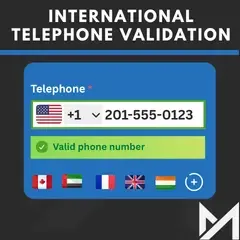
Magento 2 International Telephone Input & Phone Number Validation
This Magento 2 telephone validation extension adds a dial code dropdown to your phone fields, so customers pick their country before they type their number. The number is then checked against that country's rules, and customers can't submit one that is too short, too long or invalid. The extension offers features such as
- Adds a country code dropdown to telephone fields, with a country flag next to each dial code.
- Lets you choose which countries appear in the dropdown.
- Lets you set the default country.
- Checks each number against the rules for the selected country.
- Saves phone numbers with their dial code, so your database stays accurate.
- Works for guest and registered customers.
- Can be configured per website or per store view.
- [New] Compatible with Magento 2.4.8-p5 and 2.4.9
- [New] Compatible with the Hyvä theme.
- [New] Hyvä Checkout phone validation (addon).

Problem
Magento gives customers a plain text box for their phone number. It doesn't ask for a country code or check the format, so wrong, incomplete and fake numbers end up in your database. You only find out when you try to call someone about an order or use the list for marketing.
Solution
The International Telephone Input extension replaces the plain text box with a phone field that has a dropdown of international dial codes and country flags. The phone field is built on the intl-tel-input library, adapted for Magento 2 forms. Customers choose their country, type their number, and get an error straight away if it doesn't match that country's format. Every customer phone number is stored in the same format with its dial code, so you can use it for support and for marketing.
Hyvä theme compatible
- Adds a phone field with flags and a country dropdown to the Hyvä contact us form.
- Adds the same dropdown to the Hyvä account address add and edit form.
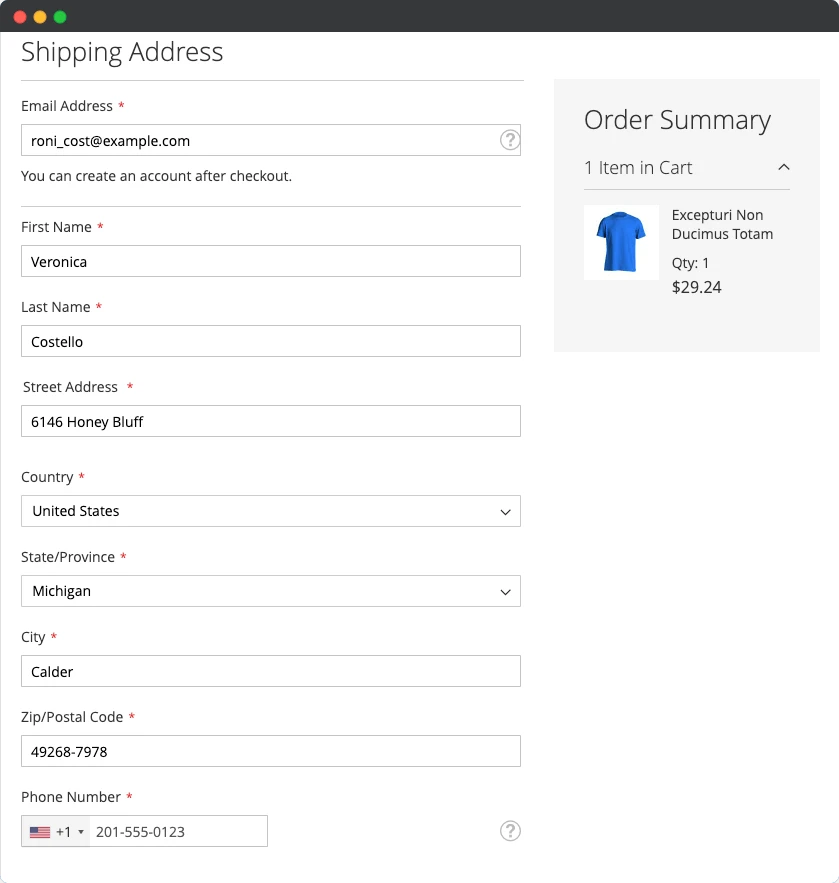
Magento checkout phone number validation
- The dial code and country flag dropdown appears in the shipping and billing address forms at checkout, in the address edit form and in the contact us form.
- Customers pick the right dial code before they type their number.
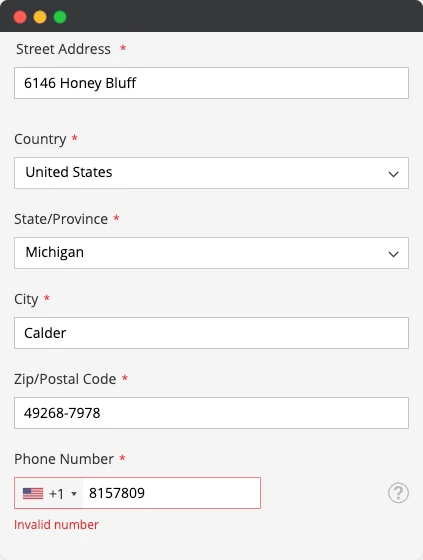
Strict phone validation at checkout
- The extension tells customers whether their number is too short, too long or invalid for the country they selected.
- A number is saved only after it passes validation.
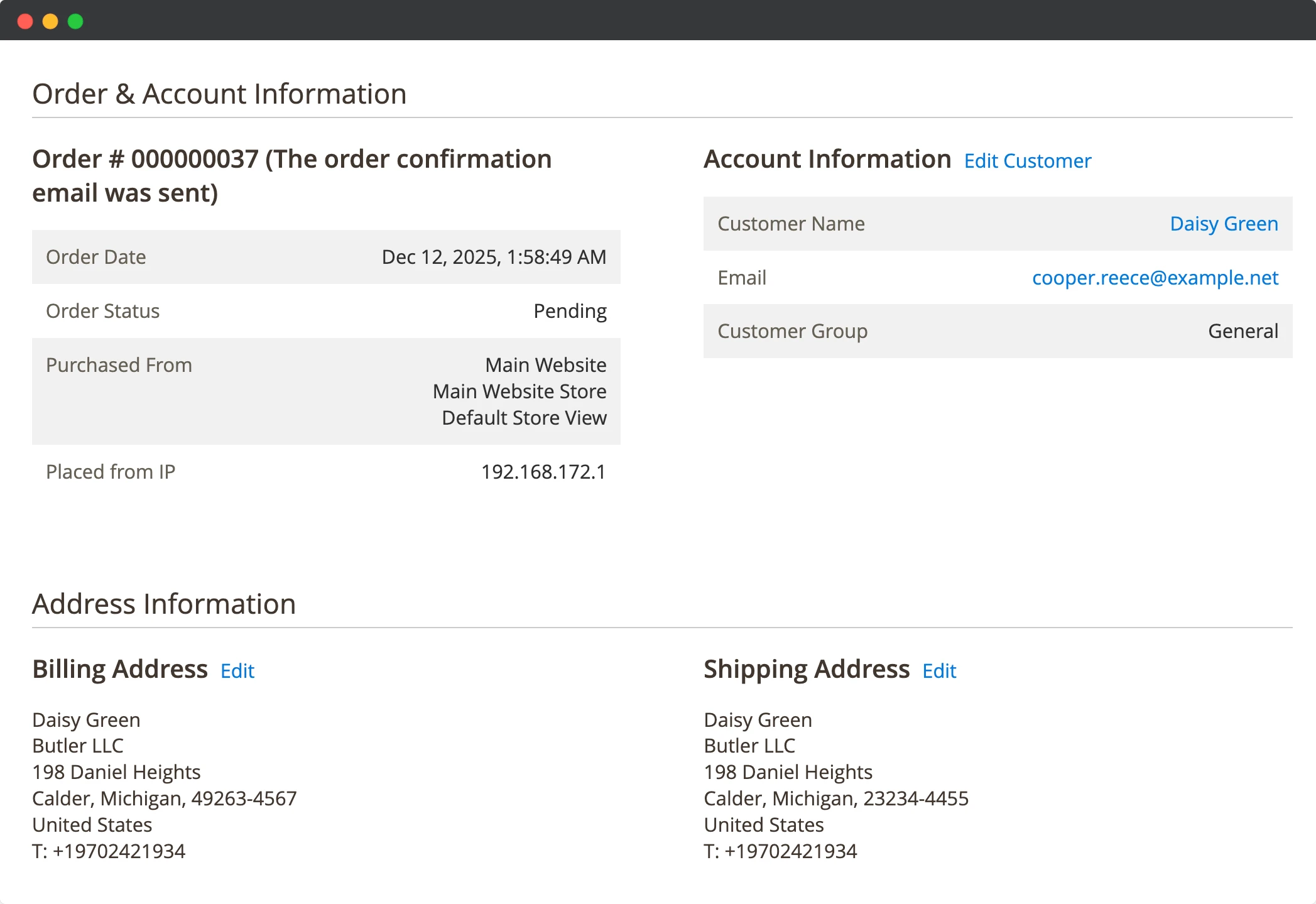
Correct numbers in the admin
- Numbers are saved with their dial code, so the admin shows the full international number.
Magento 2 contact form phone validation
- Customers select their dial code from the dropdown in the contact form, and the number is validated before the form is sent.
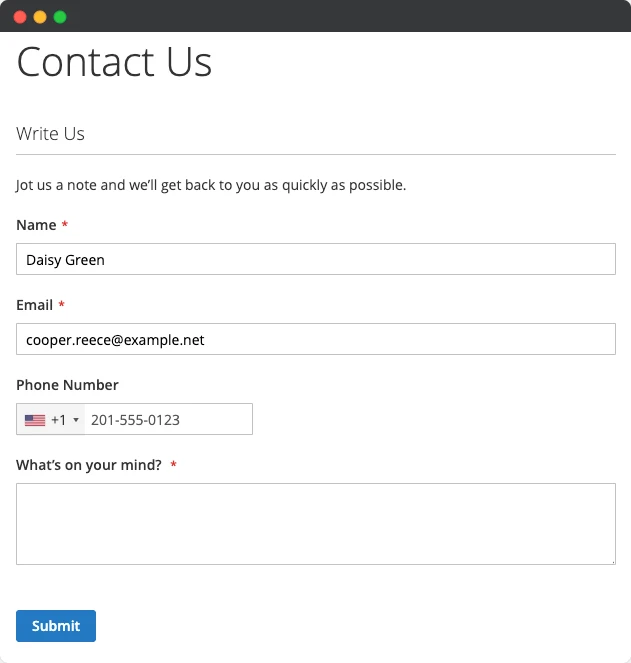
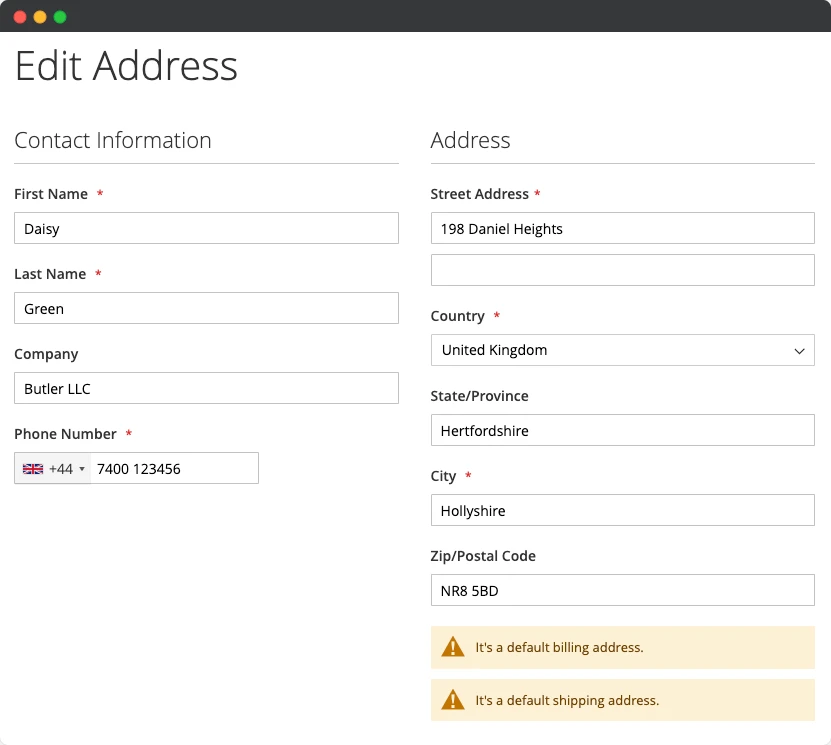
Phone validation in the account address form
- When customers add or edit an address in their account, the phone number shows its country flag and is checked against that country's rules.
International Telephone Input & Validation Demo
Version 1.0.3
- Compatible with Magento 2.4.8-p5 & 2.4.9
Version 1.0.2
- Compatible with version 2.4.8 & 2.4.8-p1
Version 1.0.1
- Added support for configure extension at store view level
Version 1.0.0
- Initial release
Frequently Asked Questions
Is this extension compatible with the latest Magento 2 and Adobe Commerce versions?
Yes. It supports Magento Open Source and Adobe Commerce 2.4.1 through 2.4.9, including 2.4.8-p5.
Does this extension work with custom forms?
It supports the shipping, billing, account address and contact us forms out of the box. If you need it on a custom form, we'll help you integrate it for free.
Does it work with the Hyvä theme?
Yes, it works with every version of Hyvä, including the latest release.
How do I install the extension?
Please follow our installation guide to install the extension to your store.
How do I add a country code to the phone field in Magento 2?
Install this extension. It adds a country code dropdown to the phone field in the shipping, billing, account address and contact us forms. In the configuration you choose which countries appear and which one is selected by default.